Android vs iOS Security 2026: Which Is Actually Safer?

iOS is safer by default in 2026 because of consistent hardware, faster software updates, and stricter App Store review, but Android has closed the gap significantly on flagship devices like Pixel and Samsung Galaxy. Android still takes the majority of mass-market malware, largely due to sideloading and market share, while iPhones face fewer large-scale attacks but more targeted phishing and spyware. The right choice depends less on the logo on the back of your phone and more on the habits you build around it. Below, you'll find the real 2026 data, the architecture differences, and a step-by-step way to lock down whichever device you're holding right now.
Android vs iOS Security at a Glance
Here's the fastest way to see where each platform actually stands, before you read a single paragraph further.
Security Factor | iOS | Android |
|---|---|---|
Default hardware security | Secure Enclave on every supported iPhone | Titan M / Knox on flagships only, varies below that |
Update consistency | Nearly simultaneous across all supported devices | Delayed by manufacturer, sometimes weeks |
App store vetting | Strict, single App Store | Play Protect + optional sideloading |
Malware exposure | Low volume, high sophistication | High volume, wide range of severity |
Phishing exposure | Higher among enterprise users | Lower, but growing |
Longest update commitment | ~5-6 years typical | Up to 7 years (Pixel) |
If you want the fullest picture of how these numbers were built, our mobile threat data breakdown goes deeper into the sourcing.
Why Android vs iOS Security Actually Matters in 2026
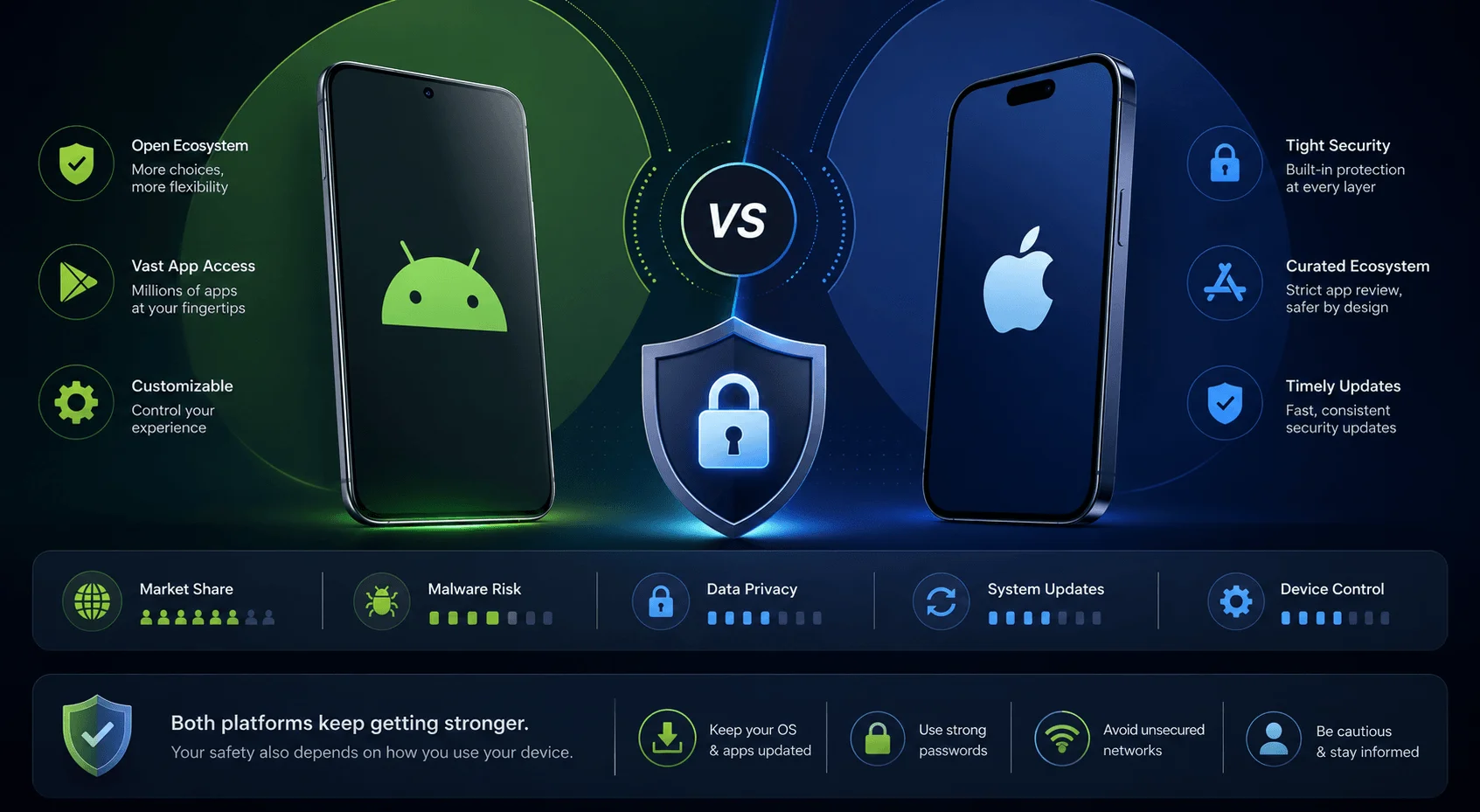
Your phone knows more about you than your closest friend does. It knows your bank balance, your location history, your private messages, and increasingly, your face and fingerprints. So when people ask about smartphone security comparison, they're really asking one thing: what stands between me and someone stealing all of that?
This isn't just a nerdy tech debate anymore. Mobile malware attacks crossed 33 million incidents in 2024, and zero-day exploits targeting mobile jumped from 9 to 15 in a single year. Your choice of OS has real consequences, though not the ones most headlines lead with. If you're deciding between platforms for a family member, check our guide to choosing a secure first smartphone for device-specific picks.
The Core Architecture Difference Between Android and iOS
Apple builds the hardware and software together, in-house, top to bottom, while Google builds the software and hands it to hundreds of manufacturers, and that single decision explains almost every security difference on this list.
Secure Enclave vs Titan M vs Knox
Apple's Secure Enclave keeps sensitive data isolated from the main processor on every supported iPhone, without exception. On iPhones, sensitive data like your Face ID map, fingerprint, and encryption keys never touch the main processor. They live inside the Secure Enclave, a dedicated coprocessor with its own boot process and isolated memory. Even with physical access to your phone, that data stays locked inside the chip.
Android's hardware security depends entirely on which device you buy. Flagship devices like Google Pixels use the Titan M security chip, and Samsung Galaxy phones rely on Knox Vault. Both are genuinely strong. Step outside flagship territory, though, and hardware-backed security becomes inconsistent fast, with some budget Android devices still relying on software-based key storage.
Feature | Secure Enclave (Apple) | Titan M (Pixel) | Knox Vault (Samsung) |
|---|---|---|---|
Device coverage | All supported iPhones | Pixel only | Samsung flagships only |
Isolated coprocessor | Yes | Yes | Yes |
Consistency across price tiers | Full | Full within Pixel line | Varies by model |
Rollback attack protection | Yes | Yes | Yes |
App Sandboxing and Permission Models
iOS enforces stricter app isolation with almost no exceptions, while Android trades some of that strictness for flexibility. Both platforms isolate apps from each other through app sandboxing, so a compromised app in theory can't reach into another app's data. Android's flexibility opens up more surface area. Android's inter-process communication through Intents and exported components creates a genuine attack surface that simply doesn't exist on iOS. That same flexibility also lets Android do things iOS won't, like default app switching and deeper file system access.
Malware Statistics: Who Actually Gets Hacked More?
Android takes the overwhelming majority of mass-market malware, somewhere between 95% and 98% of all global mobile malware attacks, but iPhones face more sophisticated, targeted threats instead of volume attacks. One widely cited 2025 report found Android threats up 151%, spyware up 147%, and SMS-based malware up 692% year over year.
Before you assume Android is simply "bad," here's the part most articles skip. A large chunk of that gap comes from market share and sideloading, not raw design weakness. Android runs on roughly 72% of phones worldwide, making it the obvious bigger target.
And iPhones aren't the safe haven people assume. DeepStrike's research citing Lookout data found that enterprise iPhones faced twice as many phishing attempts as Android devices in 2024. The likely reason: iOS's reputation as "the secure phone" makes users click links more carelessly, and overconfidence becomes its own vulnerability.
Vulnerability disclosure counts also tell a more layered story than headlines suggest. Because Android is open source, thousands of independent researchers can inspect and report bugs, which produces more published CVEs. iOS stays closed, so fewer vulnerabilities surface publicly, though the ones that do tend to be higher-impact, like zero-click exploits. More disclosed bugs doesn't automatically mean a weaker system, sometimes it just means more transparency.
Software Updates and the Patch Gap Problem
iPhones receive security updates almost simultaneously across the entire supported lineup, while Android updates travel through a longer chain that creates real exposure windows. Apple controls both hardware and software, so supported iPhones typically receive updates at nearly the same time, protecting the whole user base together. Android's chain runs longer: Google releases a monthly security bulletin, manufacturers build device-specific versions, and carriers sometimes add their own delay on top.
That delay isn't hypothetical. In one recent case, Google reported a Qualcomm zero-day to the chipmaker in December, but Qualcomm didn't notify customers until February, a roughly 10-week exposure window while the flaw was actively exploited. That month's Android bulletin alone patched 129 vulnerabilities, the highest count since 2018.
If you're on Android, buy from manufacturers with a strong security patch cycle commitment, like Pixel, which now offers seven years of updates. That single decision matters more than almost anything else in this guide. For a device-by-device breakdown, see our Android update support comparison.
App Store Review vs Sideloading: Where Malware Actually Enters
Most malware doesn't hack its way onto your phone through a clever exploit. It walks in because you let it in. Apple's App Store review process keeps most obvious malware out of the official store, though it isn't bulletproof, and sophisticated spyware has slipped through undetected for stretches of time. Google's Play Protect system has improved substantially too, scanning apps before and after installation.
The bigger risk on Android is sideloading, meaning installing apps from outside the official store. Most large-scale Android malware campaigns trace back to exactly this. Banking trojans have exploited this gap hard: in India, one trojan-dropper reportedly hit close to 95% concentration among attacked users, largely through sideloaded apps and third-party stores.
Stick to the official store on either platform. It's unglamorous advice, but it's the single biggest thing standing between you and most mobile malware.
Spyware and Zero-Click Attacks: When Neither Phone Is Safe
Targeted spyware treats iOS and Android as equally viable, and neither platform's default protections were built to stop it. Pegasus spyware, developed by NSO Group, became the poster child for this threat category. It infects devices through zero-click exploits and silently harvests messages, calls, location, and microphone access, often without requiring you to click anything at all. It has targeted journalists, activists, and executives on both platforms.
This category isn't really about your everyday browsing habits. It's nation-state and commercial surveillance vendor territory, aimed at high-value individuals specifically. If you're not in a sensitive role like journalism, activism, or executive leadership, your realistic exposure to this exact threat is low, but it's worth knowing that "my phone can't be hacked" was never true for either platform.
The Mobile Security Risk Score: Rate Your Own Exposure
Most comparisons stop at "which OS is safer" without telling you what that means for your specific situation, so here's a simple framework to score your own risk level from 1 to 5.
Score 1 (Low risk): You use official app stores only, update within a week of release, and use biometric plus passcode lock. Either platform is fine for you.
Score 2-3 (Moderate risk): You occasionally sideload apps, delay updates by a month or more, or reuse passwords across accounts. Prioritize a flagship device with a strong patch commitment and turn on automatic updates today.
Score 4 (Elevated risk): You handle sensitive work data, banking, or client information on your personal device. Enable full-disk encrypted backups and consider a dedicated work profile.
Score 5 (High risk): You're a journalist, activist, executive, or public figure who could be a spyware target. Enable Lockdown Mode (iOS) or Advanced Protection (Android) immediately, and treat every unexpected link or attachment as hostile.
Most readers land somewhere between 1 and 3. Knowing your number tells you exactly how much friction is worth adding to your daily phone use.
Step-by-Step: How to Actually Secure Your Phone Today
Here's exactly what to do, whichever phone you're holding right now.
Update your OS immediately. Go to Settings and check for pending updates. This single step closes more security holes than any app you could install.
Turn off sideloading permissions if you're on Android. Go into Settings, Apps, and disable "install unknown apps" unless you have a specific reason not to.
Review your app permissions. Check which apps have access to your camera, microphone, and location, and revoke anything unnecessary.
Enable biometric authentication plus a strong passcode, not a four-digit PIN.
Stick to official app stores only. Google Play or the App Store, no exceptions for random APK files.
Turn on encrypted backups. Both iCloud and Google's backup systems support end-to-end encryption options; confirm yours is switched on.
Enable Lockdown Mode (iOS) or Advanced Protection (Android) if you scored 4 or 5 on the risk framework above.
For a deeper walkthrough of each setting by device model, see our complete phone security settings checklist.
Common Mobile Security Mistakes People Keep Making
Most breaches trace back to human behavior rather than a flaw in Android or iOS itself. Over-permissioned apps account for a large share of Android breaches specifically because users tap "Allow" without reading what they're allowing. Delaying updates for weeks because the download feels inconvenient leaves already-patched vulnerabilities wide open. And trusting third-party app stores for a slightly cheaper or region-locked app is exactly how most large-scale Android malware campaigns start.
None of these mistakes require an advanced attacker. They just require you to stay a little too relaxed for a little too long.
Android vs iOS Security FAQ
Is iPhone safer than Android in 2026?
Yes, by default, mainly because of consistent hardware, faster software updates, and stricter App Store review. Android has narrowed the gap significantly on Pixel and Samsung flagship devices.
What gets hacked more, iPhone or Android?
Android experiences far more large-scale malware, largely due to market share and sideloading. iPhones face fewer mass attacks but are more frequently targeted in sophisticated, high-value attacks like spyware campaigns.
Can an iPhone get a virus?
Traditional viruses are rare on iOS because of the sandboxed environment, but spyware, phishing, and social engineering attacks still work against iPhones.
Does antivirus software help on Android or iOS?
It can add a layer of protection on Android, especially if you sideload apps. On iOS, the sandboxing model limits what antivirus software can access, so it's less impactful.
Is Samsung Knox as secure as Apple's Secure Enclave?
They're built on comparable hardware security concepts, isolated processors, secure boot, encrypted storage, but Apple's version stays consistent across every supported iPhone, while Knox's protection level varies by Samsung device tier.
How do I know if my phone risk score is high?
Use the risk framework above. If you handle sensitive work data, banking, or client information on your personal device, or work in a role that could make you a spyware target, you're in the elevated-to-high range and should enable maximum protection settings.
Final Verdict on Android vs iOS Security
If you want the safest experience with the least effort, iOS still edges ahead in 2026, mainly because of consistent updates and a controlled app ecosystem. If you want more control and you're willing to make a few smart choices, like sticking to Pixel or Samsung flagship devices, avoiding sideloading, and updating promptly, Android holds its own just fine.
Neither phone protects you automatically forever. The device matters less than the habits you build around it. Update fast, stick to official app stores, question every permission request, and score your own risk honestly. Do that, and you'll be ahead of the vast majority of both Android and iOS users out there.
Read more: How to Clear Cache on iPhone (2026 Guide for iOS 26)
Written by
Alex
Creative blogger sharing insights, stories, and fresh ideas.