Best Cheap Gaming Laptops in 2026: What I’d Actually Buy


The best cheap gaming laptops for most people is the Lenovo LOQ 15 with an RTX 5060. If every dollar counts, the Acer Nitro V 16 AI with an RTX 5050 is the cheaper pick. Both handle modern games at 1080p gaming settings.
Let me be honest with you. I used to think a real cheap gaming laptop was a dying breed.
Then RTX 50 series chips landed, and I changed my mind.
Tom's Hardware says a truly budget machine with a current generation GPU is rare. So you need to shop smart. Stick with me.
Why a Cheap Gaming Laptop Makes Sense Right Now
Cheap doesn't mean weak anymore. A laptop travels with you, fits a dorm desk, and plays AAA games and esports titles without a tower under your desk. Tom's Guide credits DLSS 4 for the strong showing of RTX 5060 laptops.
Sure, memory and storage costs have kept prices elevated, as Digital Citizen points out.
But gaming laptop deals still appear regularly. Patience pays.
Want a bigger screen at your desk later? You can always add a portable monitor for your laptop and keep the machine light on the road.
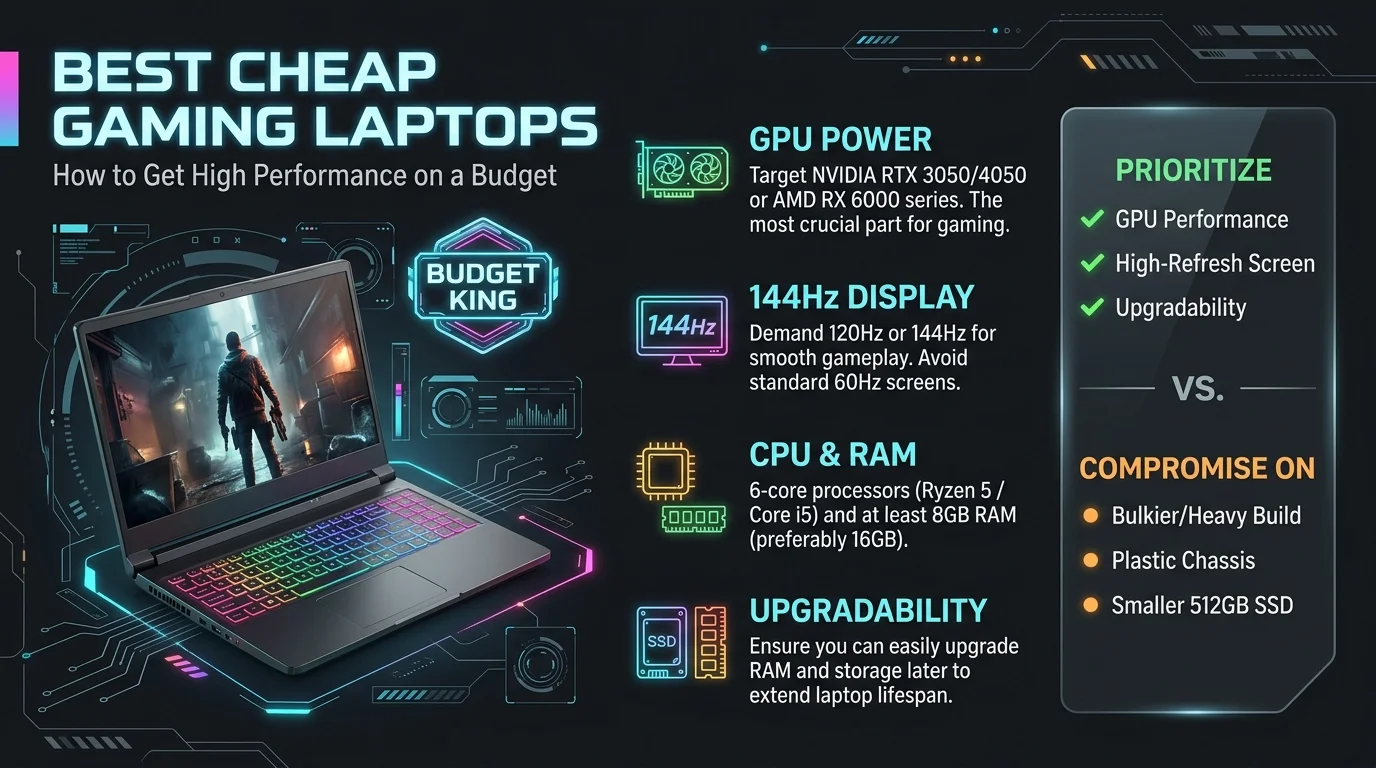
Best Cheap Gaming Laptops Compared (October 2026)
Below is a side by side snapshot of the machines reviewers keep recommending. Prices are the sale prices these outlets reported at the time. They move constantly, so check the live listing before you buy. Treat the table as a guide to value, not a price guarantee.
Laptop | GPU | Reported deal price | Best for | Source |
|---|---|---|---|---|
Acer Nitro V 16 AI | RTX 5050 | $629 (was $899) | Tightest budgets | PC Gamer |
Lenovo LOQ 15 | RTX 5050 | $799 | Entry level 1080p | Tom's Guide |
Lenovo LOQ | RTX 5060 | $849.99 | Best overall value | PC Gamer |
HP Omen 16 | RTX 5060 | $999.99 | Trusted brand build | PC Gamer |
MSI Katana 15 HX | RTX 5050 (config varies) | Under $1,000 class | Raw CPU power | Tom's Hardware |
Acer Nitro V 16 AI: Best for Tight Budgets
If your wallet is screaming, start here. PCWorld names it the best gaming laptop under $1,000, praising the roomy 16 inch 1200p display, large touchpad, and plentiful ports. It also lasts a good while on battery for this class.
Grab it when the price dips.
Lenovo LOQ 15 Gen 10: Best Overall Value
Want more graphics muscle? Meet the LOQ. PC Gamer calls it the best budget gaming laptop of this generation. Its RTX 5060 outperformed other RTX 5060 machines they've tested, and the build quality is excellent. Their one gripe is the memory configuration.
That's a small price to pay for those frame rates.
MSI Katana 15 HX: Best for Raw Power
This one pairs a Core i7 14650HX with a 144Hz 1080p screen, according to Tom's Hardware. Watch the spec sheet, though. Reviewers list different GPU options for it, so confirm the exact configuration before checkout.
It weighs almost six pounds. Think desk, not backpack.
Step by Step: How to Choose a Cheap Gaming Laptop
Buying blind is how people end up with a hot, loud brick. So I've boiled the process into four steps. Best Buy Canada's guide suggests prioritizing GPU, then CPU, then RAM, then display. I follow that order too.
Step 1: Fix Your Budget
Set a hard ceiling before you browse. Based on the deals above, roughly $630 to $900 gets you RTX 5050 territory. Around $1,000 opens the door to RTX 5060 models.
Don't stretch past it.
Step 2: Check the GPU Wattage
This is the step most people skip. GPU wattage (TGP) changes performance a lot. Digital Citizen tells shoppers to check it on RTX 5060 and 5070 laptops. FinalBoss warns that a starved RTX 5050 can fall behind an older RTX 4060.
So the number on the spec sheet matters more than the name.
Step 3: Insist on 16GB of RAM
Sorry, but 8GB is history. Best Buy Canada calls 16GB RAM the baseline for smooth play. Not sure how memory speed affects games? Read my explainer on what RAM speed means before you compare spec sheets.
Also check whether you can upgrade later. Lenovo's guide notes that some budget models allow RAM or storage upgrades.
Step 4: Demand a High Refresh Rate
Look for a 144Hz refresh rate or better. Motion feels smoother and aiming gets easier. Just remember that, as Tom's Hardware's buying guide explains, your GPU needs to push enough frames to use that speed. It also can't be upgraded later, so buy the best one you can afford.
4 Mistakes That Waste Your Money
These errors are common and easy to avoid. Here they are, in order of how often I see them.
Chasing the biggest GPU name. Cooling and thermals decide how long that performance lasts. Once you own the laptop, learn how to clean a laptop fan so dust doesn't cause thermal throttling.
Ignoring TGP. Two "RTX 5060" laptops can perform very differently.
Expecting great battery life while gaming. Keep the charger close.
Skimping on the SSD. A 512GB drive fills up fast, so look for a spare slot or a 1TB SSD.
Frequently Asked Questions
What is the best cheap gaming laptop in 2026?
For most buyers, it's the Lenovo LOQ 15 with an RTX 5060, per PC Gamer. PCWorld picks the Acer Nitro V 16 AI as its budget favorite.
How much should a cheap gaming laptop cost?
Reviewers list RTX 5050 deals from about $629 to $895 and RTX 5060 deals from about $850 to $1,079. Prices vary by retailer and date.
Is 16GB of RAM enough for gaming?
Yes. Best Buy Canada calls it the baseline for modern titles.
Can I upgrade a gaming laptop's GPU later?
No. Tom's Hardware notes laptop GPUs aren't upgradeable, so choose carefully. RAM and storage often are.
Is an RTX 5050 good enough?
For 1080p gaming, yes, as long as the wattage isn't starved. That's why checking TGP matters.
Should I build a desktop instead?
If you never need to move your setup, maybe. Our guide on how to build a PC walks you through that route, but a laptop wins on portability.
Final Verdict: Should You Buy One?
Yes, and I'd do it soon.
You now have a comparison table, a four step checklist, and a list of traps. My pick for most of you is the Lenovo LOQ. If every dollar counts, go with the Acer Nitro V 16 AI.
Both give you capable 1080p play at prices that would've seemed impossible a year ago.
So stop scrolling. Set your budget, check the wattage, confirm the RAM, and grab the deal while it lasts.
Written by
Alex
Creative blogger sharing insights, stories, and fresh ideas.