What Is RAM Speed? MT/s vs MHz Explained 2026

RAM speed is how fast your memory moves data to and from your processor. It's measured in MT/s (megatransfers per second), though boxes often print it as "MHz." A kit labeled DDR5-6000 transfers 6,000 million times per second and delivers about 48 GB/s per channel.
Last updated: September 29, 2026
I'll be honest: RAM speed confused me for years.
You see "6000" on a box and wonder what it measures. Is it MHz? MT/s? Does it matter for gaming, editing, or your 40 open Chrome tabs?
Stick with me. You'll learn how to read the label, compare kits, and buy the right one.
RAM Speed Explained in Plain English
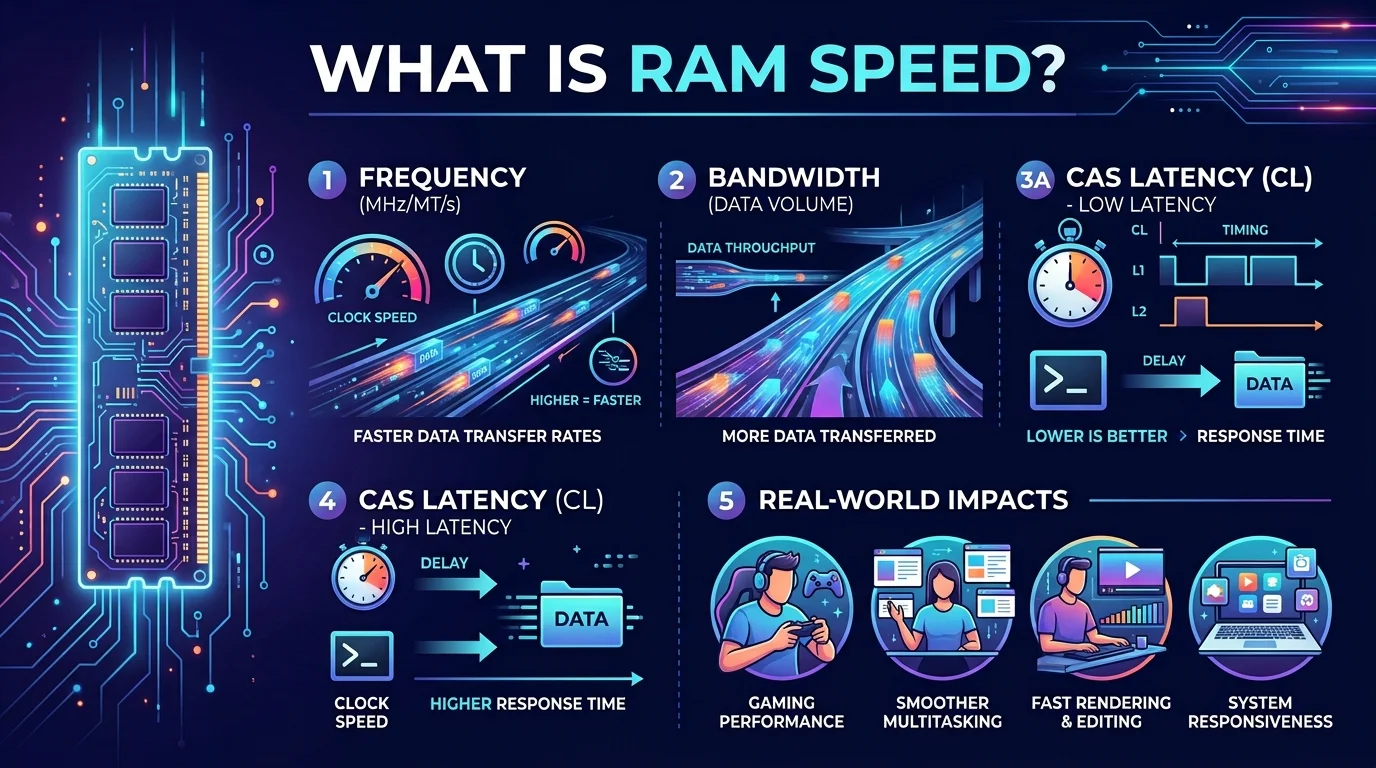
Think of your memory as a highway between storage and your CPU. RAM speed is how many cars pass each second. A wider, faster road keeps your processor busy instead of waiting around. That's the whole idea. The confusion comes from the units, so let's clear them up first.
Speed is really a data rate, counted in megatransfers per second. Higher means more data moved.
MHz vs MT/s: Why the Box Confuses You
Old memory did one transfer per clock tick, so MHz and speed matched. Then DDR (double data rate) arrived and doubled the transfers. Marketing kept the old unit anyway. Not a scam, just a stubborn habit!
According to Corsair, a kit sold as "3600 MHz" really runs 3600 MT/s on a true clock speed of 1800 MHz. Puget Systems shows the same for DDR5: a "6400" kit has a 3200 MHz clock.
So if CPU-Z shows half your advertised number, relax. Nothing is broken.
DDR4 vs DDR5 vs DDR6: RAM Speed Comparison Table
Every DDR generation raises the ceiling. Here's how they stack up, using official transfer-rate ranges from Wikipedia's DDR overview, the DDR5 page and the DDR6 page. DDR6 is still upcoming, so treat its figures as projections.
Generation | Official speed range (MT/s) | Per channel bandwidth at top speed* | Status |
|---|---|---|---|
DDR4 | 1600 to 3200 | 25.6 GB/s | Mature, budget friendly |
DDR5 | 4000 to 8800 | 70.4 GB/s | Current mainstream |
DDR6 | 8800 to 17,600 (projected) | Not yet standardized in products | Reported for 2027 |
*My calculation using the formula below.
How to Calculate Memory Bandwidth
For one 64-bit channel, multiply MT/s by 8 and divide by 1000 to get theoretical GB/s. So DDR5-6000 gives 6000 × 8 ÷ 1000 = 48 GB/s. Run two sticks in dual channel and you double that on paper.
Micron has also said DDR5 can offer up to 36% higher effective bandwidth than DDR4 at the same I/O speed, thanks to architecture changes.
JEDEC vs XMP and EXPO: Official vs Overclocked Speeds
Who decides "official" speeds? That's JEDEC, the standards body. Its JESD79-5C update pushed the top official DDR5 speed to 8,800 MT/s, and in October 2025 its SPD standard added support for modules up to DDR5-9200.
Most fast kits go beyond JEDEC defaults using XMP (Intel) or EXPO (AMD) profiles. Wikipedia notes XMP reaches 8000 MT/s at 1.40 to 1.45 V, versus 1.1 V for the JEDEC standard.
Here's the catch: you must enable the profile in your BIOS. Skip it and your kit may run slower than advertised.
RAM Speed vs CAS Latency: Which Matters More?
Speed is only half the story. CAS latency (CL) counts the clock cycles before data arrives. Faster RAM has shorter cycles, so a higher CL on faster memory can still respond quicker. Kingston and Crucial both make this point.
Step by Step: Calculate True Latency
Grab a calculator. This takes 20 seconds and beats trusting the marketing.
Find the data rate on the box (say, 6000 MT/s).
Find the CL, the first of the four memory timings (say, CL30).
Multiply CL by 2000. That's 60,000.
Divide by the data rate. You get true latency of 10 ns.
That matches Kingston's DDR5-6000 CL30 example, and Corsair's formula puts a 6000 MT/s CL36 kit at 12 ns.
Kit | Calculation | True latency |
|---|---|---|
DDR4-3200 CL16 | 16 × 2000 ÷ 3200 | 10.0 ns |
DDR4-3600 CL16 | 16 × 2000 ÷ 3600 | 8.9 ns |
DDR5-6000 CL30 | 30 × 2000 ÷ 6000 | 10.0 ns |
DDR5-6000 CL36 | 36 × 2000 ÷ 6000 | 12.0 ns |
DDR5-6400 CL36 | 36 × 2000 ÷ 6400 | 11.3 ns |
Figures calculated with the formula above.
My Quick Rule
Chase speed first, then pick the lowest CL at that speed. Corsair recommends the same order: settle capacity, sort by transfer rate, then narrow by latency.
Step by Step: How to Choose the Right RAM Speed
You don't need the priciest kit on the shelf. You need the right one for your CPU, board and budget. Follow these steps and you'll dodge the classic mistakes.
Check compatibility. Look up your motherboard and its chipset for the supported memory type and top speed. DDR4 and DDR5 aren't interchangeable.
Pick your capacity. Decide on 16GB, 32GB or more first.
Buy a two stick kit for dual channel bandwidth.
Compare true latency using the table above, not CL alone.
Enable XMP or EXPO in BIOS on first boot.
Verify it (steps below).
How to Check Your RAM Speed
Open CPU-Z's Memory tab or Windows Task Manager. Both usually show the real clock in MHz, so double it to get MT/s. A 1600 MHz reading means you're running 3200 MT/s correctly.
Why I'd Buy a Fast DDR5 Kit Today
Let's talk straight. Will faster RAM double your frame rate? No. TechRadar notes that your graphics card and processor usually matter more for gaming. But memory speed is the quiet upgrade that lifts everything else, from multitasking to content creation.
So here's my pick: a DDR5-6000 CL30 kit. You get about 10 ns true latency, roughly 48 GB/s per channel, and headroom as software gets hungrier. It's a small purchase with a big payoff, and DDR5 is where the industry is investing.
Planning a full PC build? Pick your RAM right after your CPU and board, so everything lines up.
Confirm your board supports DDR5, choose a dual channel kit, and enable XMP or EXPO. You'll feel the difference.
Frequently Asked Questions
What is a good RAM speed?
For DDR5, 6000 MT/s with low latency is a strong sweet spot. For DDR4, 3200 to 3600 MT/s is common. Always confirm your motherboard's supported range first.
Is RAM speed measured in MHz or MT/s?
Both appear, but MT/s is the more accurate data rate. MHz is the physical clock, which is half the MT/s on DDR memory.
Does RAM speed affect gaming?
Yes, but modestly. The GPU and CPU usually matter more, per TechRadar.
Is lower CAS latency always better?
At the same speed, yes. Across different speeds, compare true latency in nanoseconds instead.
Can I mix RAM speeds?
You can, but the system typically runs everything at the slower kit's speed. A matched kit is safer.
Do I need XMP or EXPO?
If you want the advertised speed, yes. Without it, memory may fall back to JEDEC defaults.
Written by
Alex
Creative blogger sharing insights, stories, and fresh ideas.