What Is Zip File? Guide to Zipping Files 2026

What is ZIP file: A zip file is a compressed archive that bundles one or more files or folders into a single, smaller file. It uses lossless compression, so when you unzip it, every original byte comes back intact. The format dates to 1989, and every major operating system can open it.
Now, let me show you how it works.
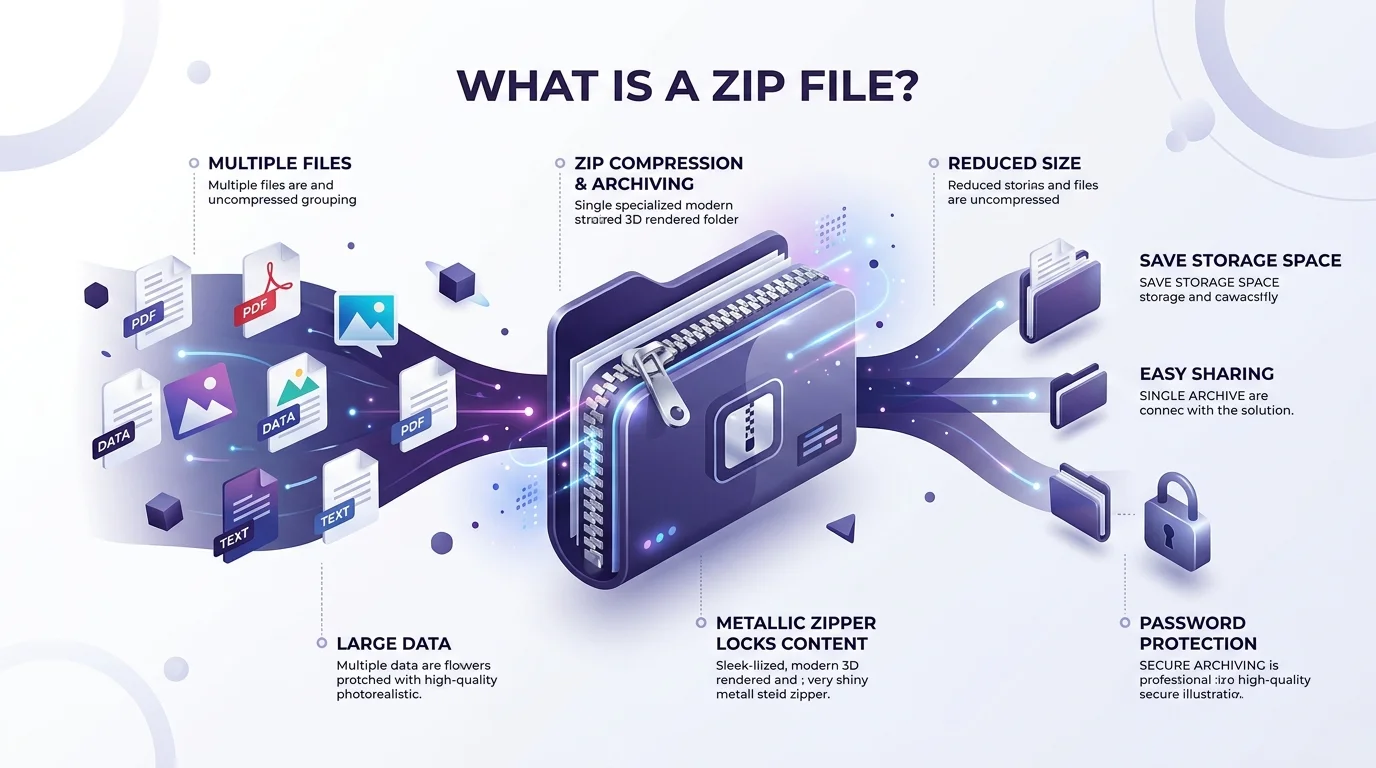
What Is a Zip File, Exactly?
A zip file is a digital suitcase. It packs your files together, squeezes them smaller, and keeps your folder structure intact. You can email it, upload it, or store it anywhere. That's why it's still everywhere decades later. Below, I'll give you a few facts you can quote, then explain why this humble format has outlived nearly everything from its era.
Here are the key facts, at a glance:
1989: Phil Katz and Gary Conway released the format with PKZIP. The public release date was February 14, 1989.
July 1993: IANA registered the application/zip MIME type.
December 1992: The Deflate method officially shipped in PKZIP 2.04.
2015: ISO/IEC 21320-1 standardized a subset of the format.
Even your Word files rely on it. According to the Library of Congress, OOXML and Open Document Format both build on ZIP.
So yes, you use zip files daily. You just don't notice.
How Does Zip Compression Work?
Zip compression works by spotting repetition and describing it once. That's it. Because it's lossless, nothing gets thrown away, which is different from lossy formats like JPEG or MP3. In this section, I'll explain the two techniques behind the DEFLATE algorithm, then show you why some files refuse to shrink. If you're curious about the bigger picture, my guide on what an algorithm is makes a great warm up.
DEFLATE combines two ideas:
LZ77 algorithm: replaces repeated data with short pointers.
Huffman coding: gives common bytes shorter codes.
Then a CRC-32 checksum verifies each entry on extraction. That's how you know nothing broke.
Why Some Files Won't Shrink
Here's the catch, and I see people miss it constantly.
JPEGs, MP4s and MP3s are already compressed. There's little repetition left to remove. So zipping them saves almost nothing. HowStuffWorks covers the lossy vs lossless difference well if you want more.
How to Create a Zip File Step by Step
Creating a zip file takes about ten seconds. You don't need extra software, since modern Windows and Mac systems handle it natively. I'll walk you through each step so nothing feels confusing. Follow them in order, and you'll have a working zip archive before your coffee cools.
Gather your files into one folder.
Select the files or the whole folder.
Right click. On Windows, choose the compress option. On a Mac, choose Compress.
Rename it. "Archive.zip" is a terrible name.
Test it. Open the result and check that everything's there.
Done!
How to Unzip a Zip File
Unzipping, also called extracting, restores your files exactly as they were. Double click the file, choose Extract All, pick a destination, and go. Simple.
One warning, though. Never extract archives from senders you don't trust. Scan first.
Zip vs 7z vs RAR: Which Format Should You Pick?
ZIP isn't your only option. 7z and RAR exist too, and each has trade offs. You'll want to compare them before you commit, especially when file sharing or data security matters. Here's a quick table built from the sources I researched, so you can pick the right tool without wading through forum arguments.
Format | Compression | Password protection | Best for |
|---|---|---|---|
ZIP | Lossless, widely supported | ZipCrypto (weak) or AES-256, file names stay visible | Everyday sharing, maximum compatibility |
7z | Higher compression ratio | AES-256 with filename encryption | Smaller files, stronger privacy |
RAR | Lossless | RAR5: AES-256, optional filename encryption | Users who already rely on RAR tools |
My take? Use ZIP when the recipient could be anyone. Use 7z when privacy matters more than compatibility.
Are Zip Files Safe? Password Protection Explained
Zip files are safe containers, but their password protection varies wildly. Some encryption is strong. Some is a joke. I've seen people trust the weak kind with sensitive data, and it hurts to watch. Let me break down the two encryption methods, then give you a checklist you can follow right now.
ZipCrypto vs. AES-256
ZipCrypto is the legacy method, and it's widely considered broken. AES-256 encryption is the industry standard.
Here's the awkward part. Mailfence reports that Windows' default compressor adds no encryption, and the Mac terminal command uses ZipCrypto. So the defaults won't protect you.
Also, strong encryption can't save you if malware watches your keystrokes. A keylogger can capture your password the moment you type it, so keep your device clean.
Your Safety Checklist
Choose AES-256 in a third party archiver.
Use a long, random password.
Send the password through a different channel.
Remember that metadata like file names may stay unencrypted.
Frequently Asked Questions About Zip Files
These are the questions I hear most. Each answer is short on purpose, so you can grab what you need and move on. If you're skimming, this section is your cheat sheet, and it covers the essentials from everything above without making you reread it.
What is a zip file in simple terms?
A zip file is a container that holds one or more files in compressed form. It makes them smaller and keeps them together. You open it by extracting its contents.
Does zipping a file reduce quality?
No. Zip uses lossless compression, so extraction returns the original data exactly. Quality doesn't change.
Who invented the zip file format?
Phil Katz of PKWARE, together with Gary Conway, released it in 1989.
Is a password protected zip file secure?
It depends on the method. AES-256 is strong. ZipCrypto isn't. Always check which one your tool uses.
Why didn't my file get smaller after zipping?
It was probably already compressed, like a JPEG or MP4. Little repetition remains, so there's little to remove.
Who maintains the zip standard today?
PKWARE publishes the official APPNOTE specification.
Ready to Level Up? Get a Proper Zip Tool
Default tools are fine for casual sharing. But if you handle client files, invoices or anything private, "fine" isn't enough. A dedicated archiver gives you AES-256 encryption, better compression ratios, and real control over your archives. I won't sugarcoat it: you'll be glad you upgraded the first time something sensitive lands in the wrong inbox.
You'd never lock your front door with a paperclip. So why protect important files with a method that cracks in minutes?
Pick a reputable archiver with strong encryption. Test it on one folder today. Then make it your default, and enjoy the peace of mind.
Your future self will thank you.
Written by
Alex
Creative blogger sharing insights, stories, and fresh ideas.