The short answer is that AI writing tools in 2026 moved from simple text generation toward planning, reasoning, and working directly with your existing content instead of starting from a blank prompt every time.
I've spent a lot of time this year testing how different platforms handle longer documents, brand tone, and search visibility, and I wanted to put everything I've learned into one place. This piece walks through the real AI writing tools updates 2026 brought, without the hype, and without pretending every update matters equally for every kind of writer or business. Some of these changes are genuinely useful day to day, while others only matter if you're running a large content operation.
What Actually Changed This Year
Earlier AI writing tools mostly took a short prompt and generated a paragraph or two. That's no longer where the real value sits. The biggest shift in ai writing tools updates 2026 is that tools now plan structure before they write, rather than generating text line by line with no larger plan in mind.
This matters because planning ahead reduces the amount of editing you have to do afterward. A tool that understands where a piece is heading produces fewer contradictions, fewer repeated points, and a cleaner flow from section to section.
Longer Context, Fewer Restarts
One of the most practical improvements this year is a much larger working memory. Tools can now hold entire documents, not just a few paragraphs, without losing track of earlier details.
For anyone writing long-form content, this means you can feed in a full article, a style guide, or reference material, and the tool actually remembers it through the whole session. Previously, longer documents meant constant re-explaining, which wasted time and introduced inconsistency.
Agentic Workflows Instead of Single Prompts
Another shift worth understanding is the move toward agentic workflows. Instead of you typing one prompt and getting one output, newer tools can break a task into steps, research a subtopic, draft a section, and check it against a brief automatically.
This doesn't replace a writer's judgment, but it does cut down on the repetitive parts of the process. I've found it most useful for research-heavy pieces, where gathering source material used to take longer than the actual writing.
Brand Voice and Tone Control
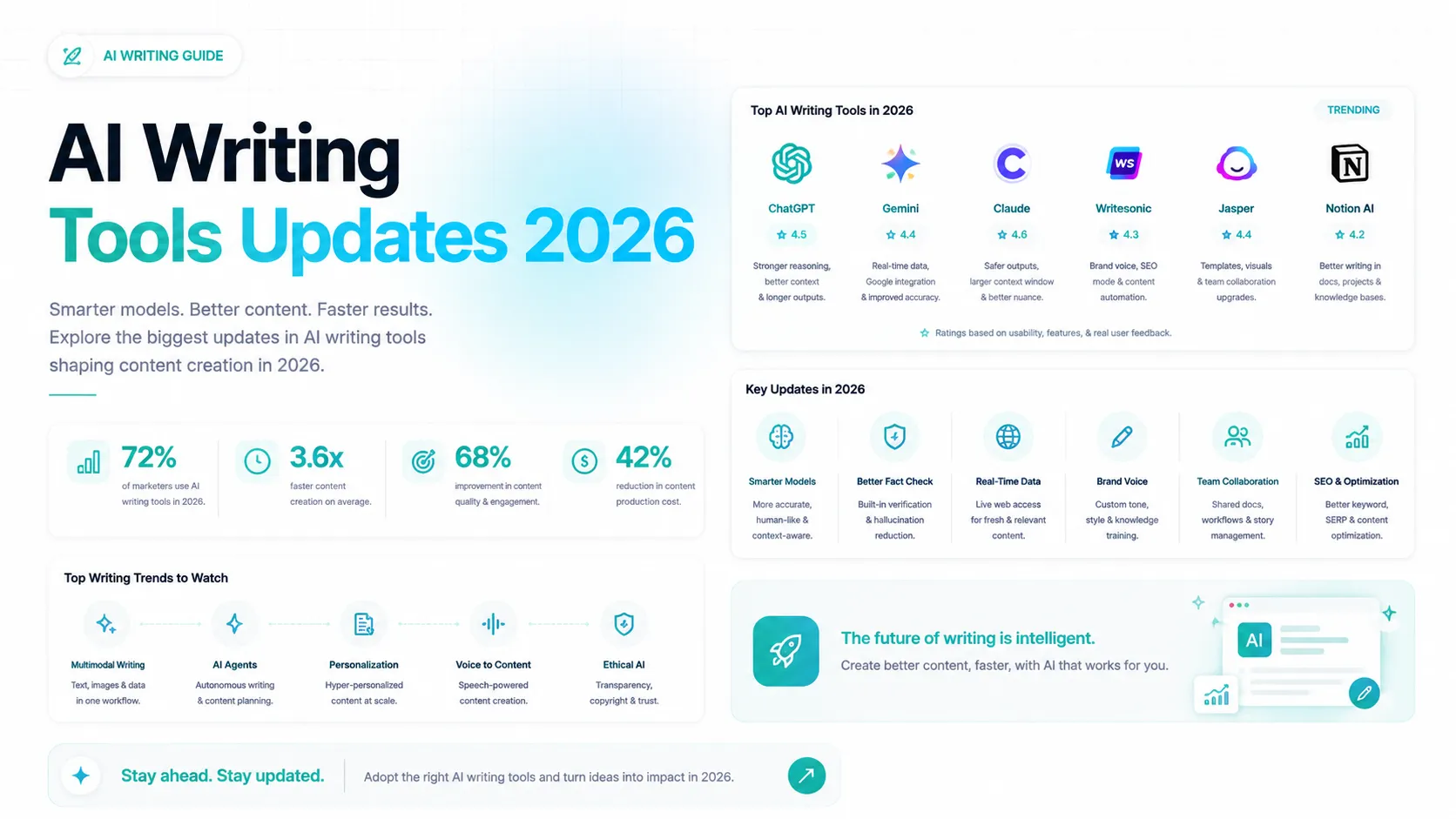
Keeping a consistent voice across dozens of articles used to be one of the hardest parts of scaling content. This year's ai writing tools updates 2026 put a lot of focus on tone detection and brand voice governance, letting teams set rules once and have them applied automatically.
In practice, this means less manual editing to make AI output sound like your brand instead of sounding generic. The tools are better at picking up on formality level, sentence rhythm, and word choice than they were even a year ago.
Search Visibility Is Now Part of the Writing Process
Search behavior changed a lot in 2026, with more answers appearing directly in AI-generated summaries rather than traditional blue links. Writing tools have adjusted by building in real-time guidance for both SEO and answer-engine visibility while you write, not as a separate step afterward.
This is a genuinely useful shift, since structuring content to answer questions clearly benefits readers and search visibility at the same time. It's less about gaming a system and more about writing clearly enough that both people and AI systems can follow it.
Integration Into Everyday Work Tools
AI writing assistance has also moved further into the places people already work, showing up inside document editors, email clients, and project tools instead of living only in a separate app. This reduces the friction of switching tabs just to get a suggestion or draft a section.
For smaller teams especially, this kind of integration matters more than flashy new features, since it saves time on every single piece of content rather than only the occasional big project.
Why Source Material Quality Matters More Than Ever
With all of these ai writing tools updates 2026 brought, one thing hasn't changed: a tool is only as good as what you feed it. Reasoning and planning features help, but they still depend on clean, well-structured source material to work from.
This is where a lot of teams run into friction. Website content is often messy behind the scenes, full of navigation text, ads, and formatting that has nothing to do with the actual information a writing tool needs. Feeding that mess in tends to produce vague, unfocused output no matter how advanced the model is. It's the exact problem a tool like LLMProGen was designed to solve before the writing process even starts.
Multimodal Input Is Becoming Standard
Text is no longer the only input these tools accept. Many platforms now let you upload images, charts, or screenshots alongside a prompt, which is useful when the source material isn't plain text to begin with.
For content teams, this means product photos, infographics, or even screenshots of competitor pages can become part of the research process instead of something you have to manually describe first. It's a smaller update than the planning and context changes, but it removes a genuine friction point.
Originality and Accuracy Checks Improved
Plagiarism detection and fact-checking features have also gotten more reliable this year. Earlier versions of these checks often flagged original writing as duplicate content, or missed obvious factual errors in generated text.
Newer systems are better at distinguishing genuinely similar phrasing from actual copied content, and better at flagging claims that need a source. This doesn't remove the need for a human editor, but it does catch more issues before a draft reaches that stage.
What to Test Before Committing to a New Tool
With so many updates rolling out at once, it's tempting to switch tools every time something new ships. A more useful approach is picking one or two features that solve an actual bottleneck in your workflow and testing those specifically.
Run the same piece of content through your current process and the new tool's process, then compare the editing time each one requires. If the new tool doesn't meaningfully cut down on revision work, the update probably isn't worth adopting yet, no matter how impressive it looks in a demo.
Common Mistakes When Adopting New AI Writing Tools
A lot of teams jump straight into a new tool without preparing their content first, and this is one of the most common issues this year's updates exposed. The tool isn't the problem. The raw material going into it usually is.
Another common mistake is treating every update as something you need to chase immediately. Not every feature applies to every workflow, and it's worth testing changes on a small project before rolling them out across an entire content calendar.
Skipping a review step is the third mistake I see often. Even with better planning and reasoning, AI output still benefits from a human pass to catch anything that reads slightly off or misses context only a person would know.
How Teams Are Adjusting Their Workflows
The teams getting the most out of this year's changes aren't necessarily using the newest tools. They're the ones who took time to clean up their process before adding more AI into it, so every new feature has something solid to build on.
That usually starts with an audit of where content actually comes from. If most of your writing pulls from an existing website, a product catalog, or internal documentation, the quality of that source material sets a ceiling on how good any AI-assisted draft can be, regardless of which platform you're using.
Tool Category Comparison
Category | Best For | Main Strength | Main Limitation |
General AI assistants | Everyday writing and editing | Broad flexibility | Needs clear source material |
Document-native assistants | Teams working inside existing tools | Low friction, built into workflow | Fewer advanced features |
Specialist writing platforms | Structured campaigns and briefs | Templates and workflow packaging | Less useful for one-off projects |
Preparing Your Content for AI Writing Tools
Step | What It Involves | Why It Matters |
Clean up source material | Remove navigation, ads, and clutter from web content | Gives the tool clear information to work from |
Structure key information | Organize facts, FAQs, and product details clearly | Improves accuracy and reduces vague output |
Keep content current | Update outdated stats and details regularly | Prevents AI tools from repeating old information |
Convert to a usable format | Turn website content into clean, LLM-ready text | Makes source material easier for any AI tool to process |
What This Means for Your Workflow
If there's one takeaway from this year's ai writing tools updates 2026, it's that preparation matters as much as the tool itself. A well-organized set of source material turns even a basic AI assistant into something genuinely useful, while messy input holds back even the most advanced platform.
This is exactly the gap LLMProGen was built to close. Instead of feeding an AI writing tool a raw, cluttered webpage, it converts your site into clean, structured, LLM-ready text files that any AI tool can actually work with.
Frequently Asked Questions
What is the biggest change this year?
The shift toward planning and reasoning before generating text, rather than producing output line by line from a single prompt.
Do I need a paid tool to see these improvements?
Some updates are available on free tiers, though the more advanced planning and context features are usually part of paid plans.
Will AI writing tools replace human writers?
Not entirely. These updates make tools faster and more consistent, but judgment, accuracy checks, and original insight still need a person involved.
How does source material affect AI writing output?
Clean, well-structured source material leads to clearer, more accurate output. Messy or cluttered input tends to produce vague or generic results regardless of the tool used.
What is LLM-ready content?
It refers to website or document content that has been cleaned and structured so an AI tool can read and use it accurately, without navigation clutter or formatting noise getting in the way.
Is it worth switching tools every time there's an update?
Not usually. It's better to test a specific update against your actual workflow before deciding whether it's worth adopting.
Do these updates work the same across every AI writing tool?
No. Adoption speed varies a lot between platforms, and some smaller tools are still catching up to the planning and context features of larger platforms rolled out earlier in the year.
What should I check before switching to a new AI writing tool?
Test it against a real piece of content from your own workflow rather than a demo prompt, and compare how much editing the output actually needs afterward.
Final Thoughts
The pattern across every genuine ai writing tools updates 2026 introduced is the same: better planning, longer memory, and tighter integration into daily work. None of that replaces the need for clear, well-organized source material.
That's where LLMProGen fits in. If you're feeding AI writing tools directly from your website, it turns that content into clean, structured, LLM-ready files first, so whatever tool you're using has something solid to work from. You can learn more about how LLMProGen prepares your site's content for AI tools, or try converting a page yourself to see the difference clean input makes. It exists for exactly this part of the process, the part that determines whether an AI writing tool actually helps or just adds more editing work.
Written by

Alex
Creative blogger sharing insights, stories, and fresh ideas.