Dell Drivers and Downloads: How to Safely Update Your PC (2026 Guide)

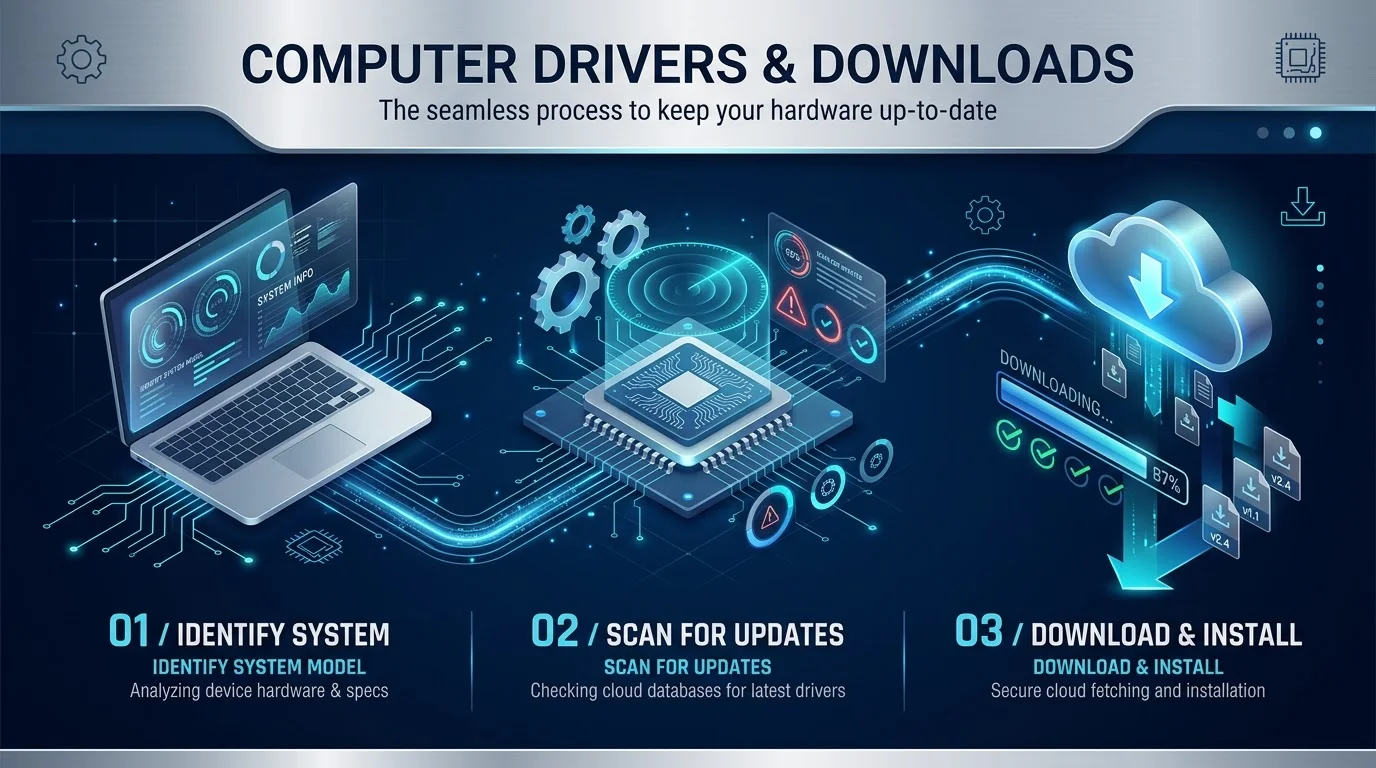
The safest place for Dell drivers and downloads is Dell's official support site, at dell.com/support/drivers. Enter your Service Tag, click Check for Updates, then download and install what it finds. Prefer automation? Use SupportAssist (home PCs) or Dell Command | Update (business PCs).
What Are Dell Drivers, and Why Do They Matter?
Think of a device driver as a translator. It lets Windows talk to your hardware, like the graphics card, audio device, chipset and network adapter.
No translator? Things break.
Dell tests its drivers only for supported operating systems, and only for Dell hardware. Keeping them current brings performance improvements, bug fixes and security patches.
That's basic PC maintenance.
Where Should You Download Dell Drivers?
Only from Dell.
Dell says downloading from unknown websites or third party tools can make your computer unstable. For gear from another brand, like a printer or webcam, go to that manufacturer's official site.
Printer refusing to cooperate after a driver change? My guide to fixing a printer that shows offline will save you some time.
Which Dell Update Method Is Right for You?
Not sure which route to take? I made this table so you can decide in ten seconds. Each method does the same job, but they suit different people.
Method | Best for | Effort | Notes |
|---|---|---|---|
Manual download (Dell Support) | Control freaks, single drivers | Medium | Uses your Service Tag |
SupportAssist | Home users | Low | Preinstalled on most Dell Windows PCs |
Dell Command | Update | Business and IT teams | Low | For commercial client computers |
Windows Update | Basic drivers | Lowest | Dell lists it as an official option |
Dell Update / Alienware Update | Nobody now | n/a | Support ended December 31, 2024 |
Method 1: Download Dell Drivers Manually
This is the precise route. You choose exactly what lands on your machine, and nothing installs behind your back.
It takes about five minutes.
Step 1: Find Your Dell Service Tag
Your Service Tag is a seven character code. On laptops, check the bottom. On desktops, look at the back of the tower.
Don't post it publicly, because Dell links it to your account.
Step 2: Scan on the Dell Support Site
Open Dell Support. Enter your Service Tag, then click Check for Updates.
Step 3: Download, Install and Restart
Click Show drivers and pick what you need. Open the file from your Downloads folder, follow the prompts, then restart.
Tip: new drivers usually appear on the second Tuesday of each month.
Missing WiFi after a fresh install? A dedicated WiFi adapter for PC can get you online long enough to grab the right driver.
Method 2: Use Dell SupportAssist
Want one button instead of a list? SupportAssist scans for updates, downloads them and installs them. Dell also explains this in its automatic update guide.
How to Update Drivers With SupportAssist
Search "SupportAssist" in the Start menu.
Sign in and finish the quick setup.
Start the scan.
Install the updates it finds.
Restart your PC.
Dell also says SupportAssist removes the retired Dell Update and Alienware Update apps when it detects them.
Method 3: Use Dell Command | Update (Business PCs)
Managing work laptops? Dell Command | Update handles driver, BIOS and firmware updates from one app. Dell's how to guide covers installation.
Download it, approve the UAC prompt, open it from the Start menu and click Check. IT admins can also block specific updates with the blocklist feature.
Check Dell's page for the current version, since releases change.
How to Update Your Dell BIOS Safely
Drivers get the attention, but the BIOS (or UEFI) matters too. Dell says updates add security fixes and stability.
Curious how firmware settings tie into protection? Read my explainer on what Secure Boot is.
Treat the update carefully. Follow Dell's BIOS update guide:
Plug in your charger. Keep the laptop battery above 10%.
Suspend BitLocker.
Log in as an administrator.
Download the BIOS file from Dell and run it.
Some update tools can't pass through a BIOS admin password, so you may need to clear it first. If Windows won't start, supported models offer the F12 One Time Boot menu for flashing.
Troubleshooting Common Dell Driver Problems
Things go sideways sometimes. Here's what to try.
Driver missing on Dell's site? Your PC may not be compatible with the newest Windows version, according to Dell's drivers help page.
New driver caused problems? Use Dell's guide to roll back a device driver in Device Manager.
Scan finds nothing? Dell documents a "No update information is available" error for Command | Update.
Windows Update failing too? Work through my guide to fixing Windows update errors.
Need to show support an error message? Learn how to screenshot on a Dell in seconds.
Still stuck? Try a different method from the table above.
Why Third Party Driver Updaters Are Risky
You've seen the pop ups: "47 drivers are outdated!" Scary, right?
Malwarebytes explains that unscrupulous updaters can almost always detect a "different version" of some driver, then funnel you toward a purchase page. Intel also warns that third party driver files can contain malicious code.
So skip them. Stick with Dell, Windows Update or the device maker.
Why I'd Buy a Dell With Care Premium
A PC is only as good as the support behind it.
Dell puts drivers, diagnostics, how to articles and forums in one official support hub. With Dell Care Premium, SupportAssist adds proactive monitoring and a single place to track PC health, plus help from agents by phone or chat.
Pair that with simple habits, like cleaning your laptop fan, and your Dell stays quick for years.
So if you're buying, pick a Dell and add Care Premium. You'll spend less time fixing and more time working.
Frequently Asked Questions
Where can I download official Dell drivers?
Go to dell.com/support/drivers, enter your Service Tag and download from the results. That is Dell's recommended source.
How do I find my Dell Service Tag?
It's a seven character code on a sticker, usually under laptops and on the back of desktop towers. You can also find it in SupportAssist.
Is SupportAssist free?
Dell says you typically don't buy the basic app separately. Broader automated and predictive features depend on plans like Dell Care Premium.
What replaced Dell Update and Alienware Update?
Dell ended support for both on December 31, 2024, and recommends SupportAssist.
Should I use a third party driver updater?
No. Dell says unknown sites and third party tools can make your computer unstable.
How often should I update drivers?
Dell's updates typically appear monthly. Check then, or let SupportAssist notify you.
Final Thoughts
Use Dell's official site. Find your Service Tag. Let SupportAssist or Dell Command | Update automate the rest. Update the BIOS carefully, and ignore scary driver updater pop ups.
Do that, and your PC stays fast, stable and secure.
Written by
Alex
Creative blogger sharing insights, stories, and fresh ideas.